Layout 2 of 3
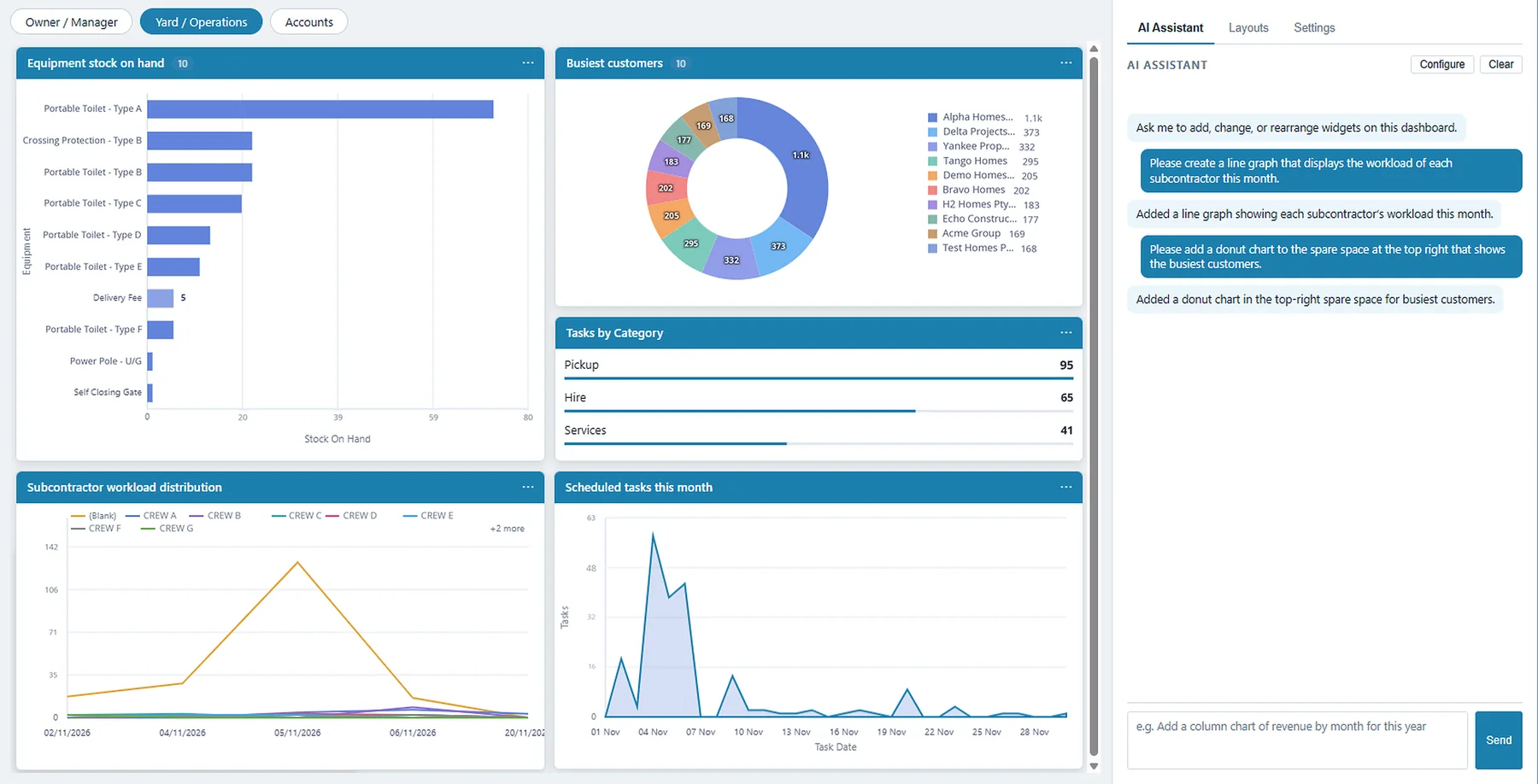
Yard / Operations: what’s in the yard and what’s on today
Coming soon...
Artificial intelligence, built into Hire It Out.
We don’t just use AI. We embrace it.
Why AI in HIO
HIO AI makes asking as easy as typing a sentence.
Today
With HIO AI
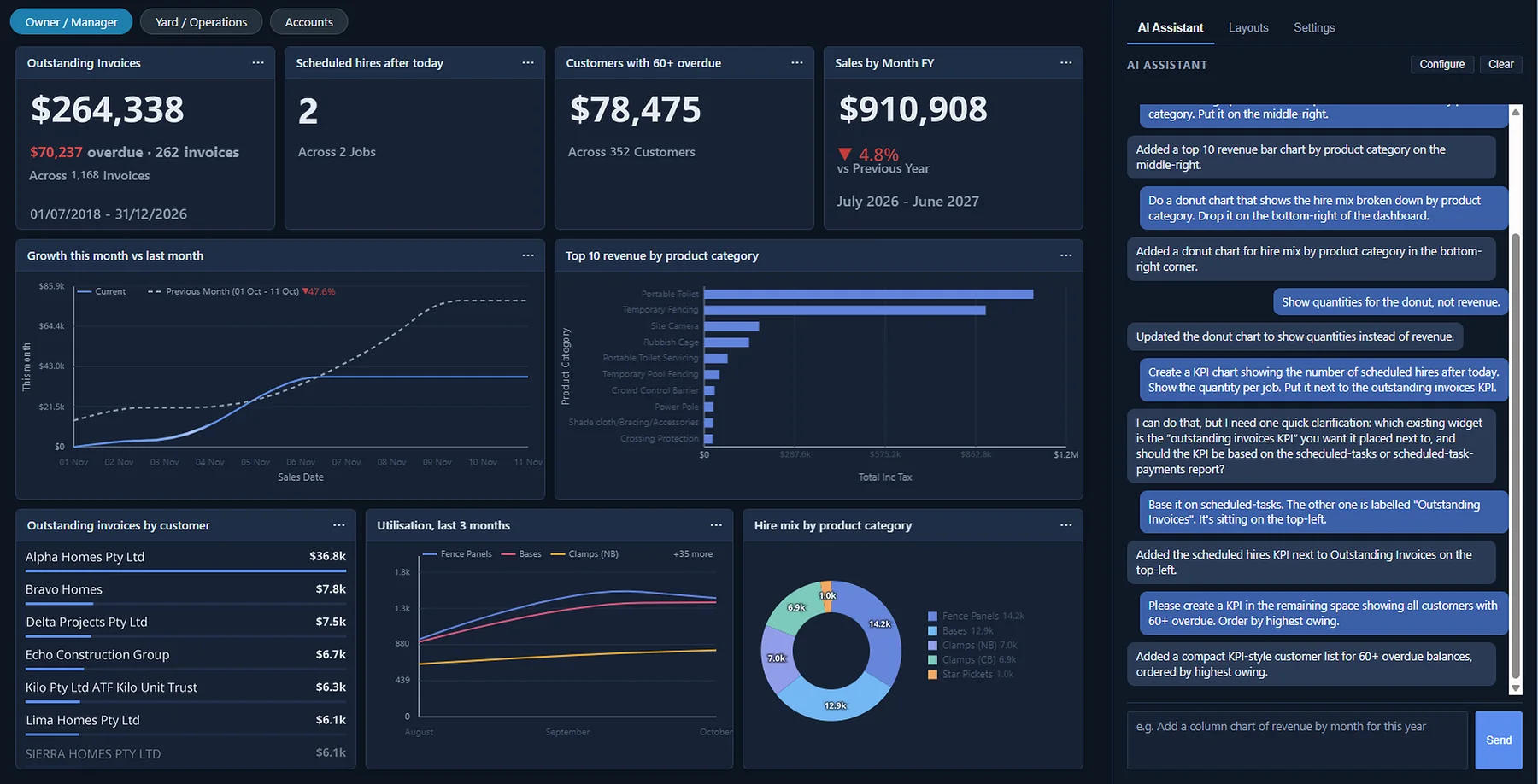
The AI dashboard · Layout 1 of 3: Owner / Manager
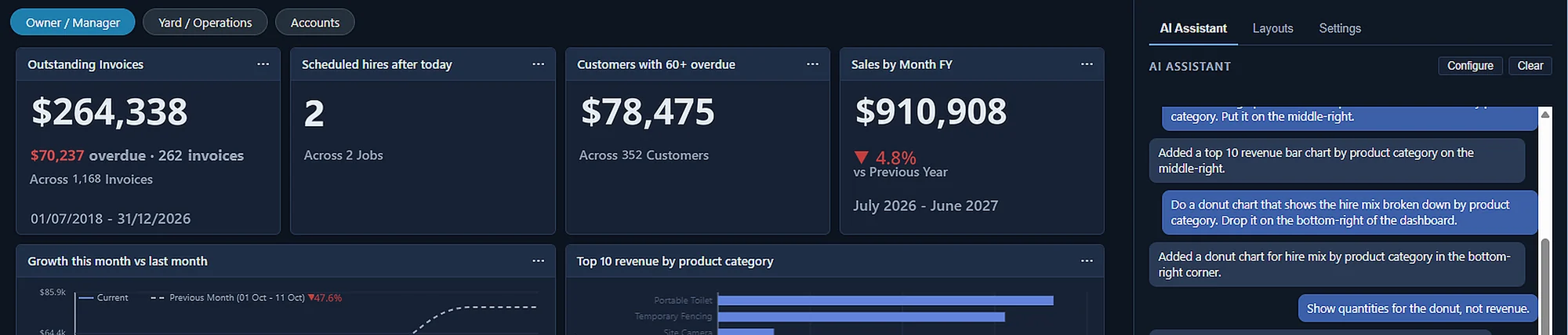
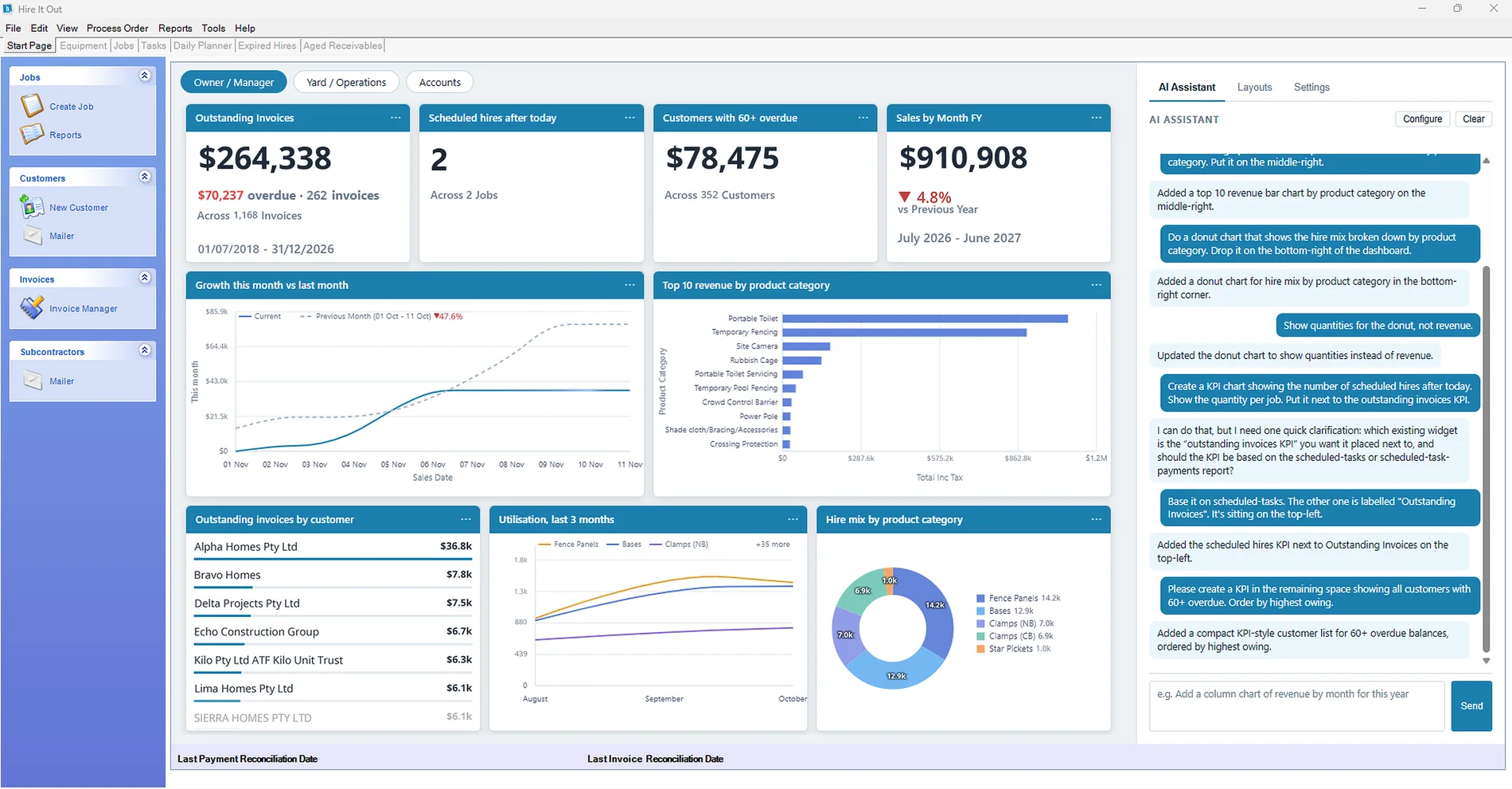
Invoices, overdue balances and sales sit up top as KPIs. Growth, revenue by category, utilisation and hire mix are charts. Ask the AI Assistant to add or change any tile.
Just ask
No report writer. No SQL. No training course.
“Do a donut chart that shows the hire mix broken down by product category. Drop it on the bottom-right of the dashboard.”
Added a donut chart for hire mix by product category in the bottom-right corner.
“Show quantities for the donut, not revenue.”
Updated the donut chart to show quantities instead of revenue.
KPIs, line, bar, donut and pie charts, tables and lists.
Not quite right? Say so and it fixes the tile.
Tell it where each tile should sit.
Ready on day one
Switch layouts from the buttons at the top of the dashboard.
Layout 2 of 3
Layout 3 of 3
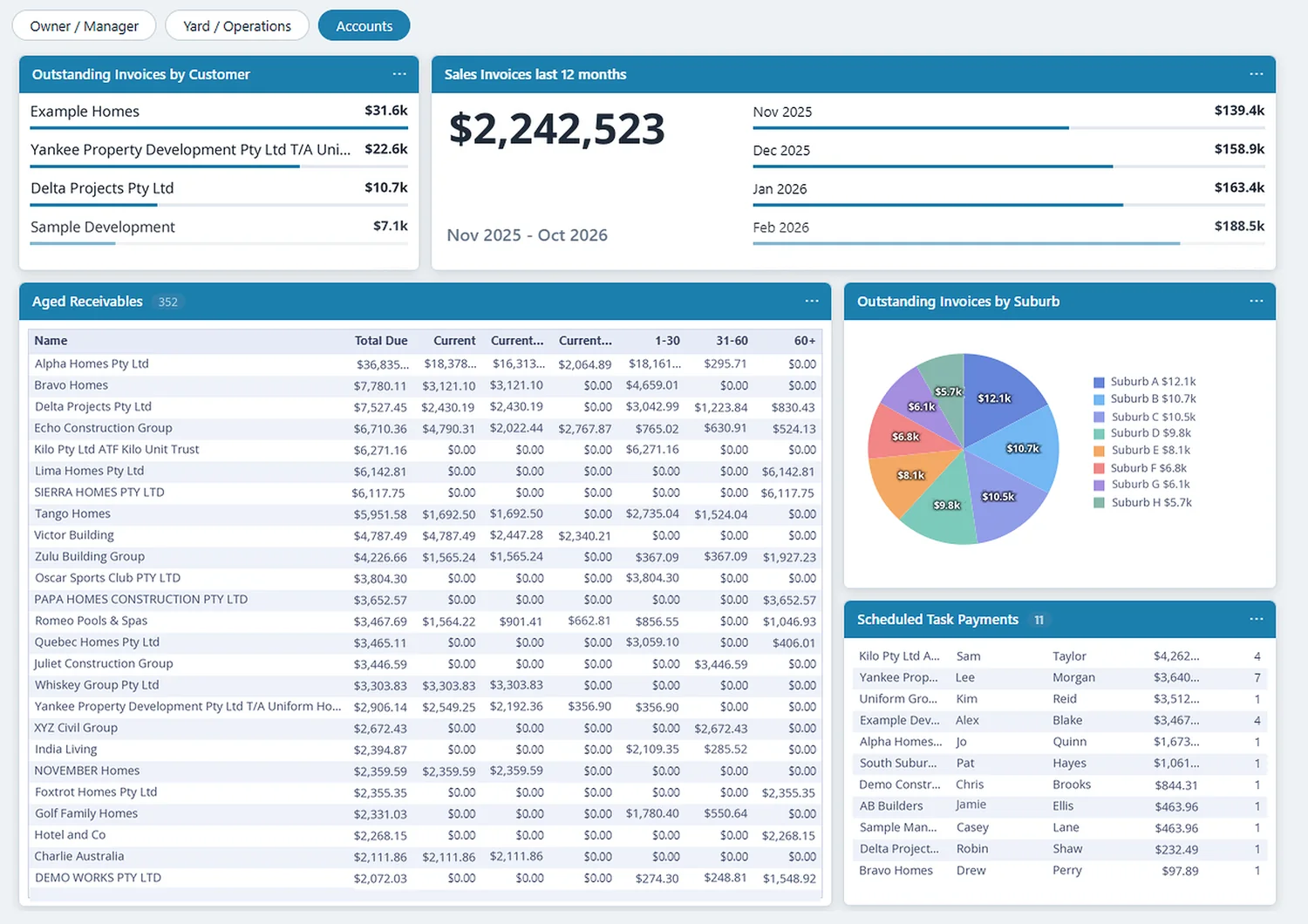
Make it yours · Copy a layout, switch in a click, light or dark
The default layouts are a starting point. Duplicate one, then ask the AI Assistant for the tiles your business cares about. Keep several layouts and swap between them from the Layouts tab.
Bring your own AI
Most software picks an AI for you. HIO lets you pick.
Connect the AI account your business already uses: Claude, OpenAI or Microsoft Azure OpenAI.
You pick the provider and the plan. HIO plugs into the account you set up.
Set it up in HIO under Tools > Configuration > AI, then start asking.
AI across HIO
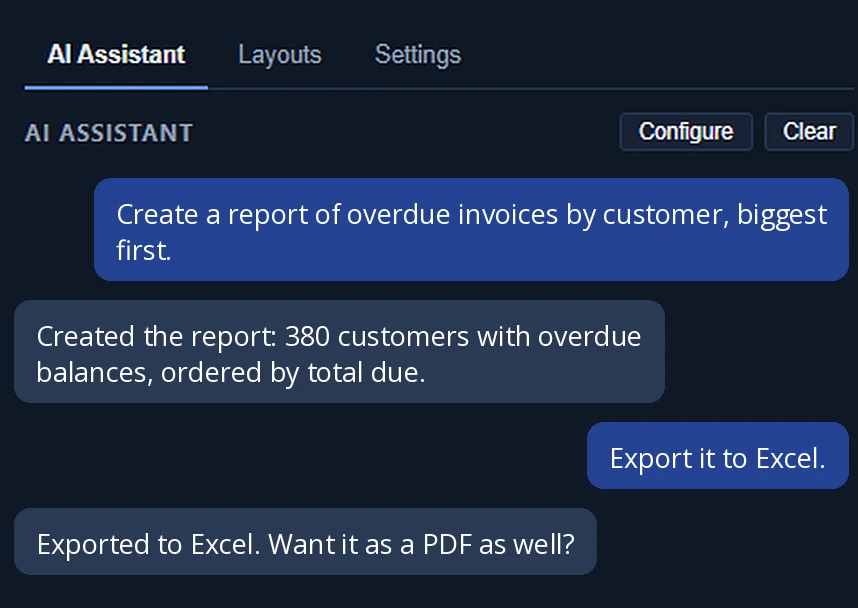
AI is coming to other HIO screens too. Reports is next: describe it, get it, export it.
Tell AI the report you need and it builds it from your HIO data.
Say which format you want and take the file with you.
Group it, filter it, total it. Change your mind and ask again.
Ask AI to teach you
HIO AI can walk you through HIO itself, in plain English.
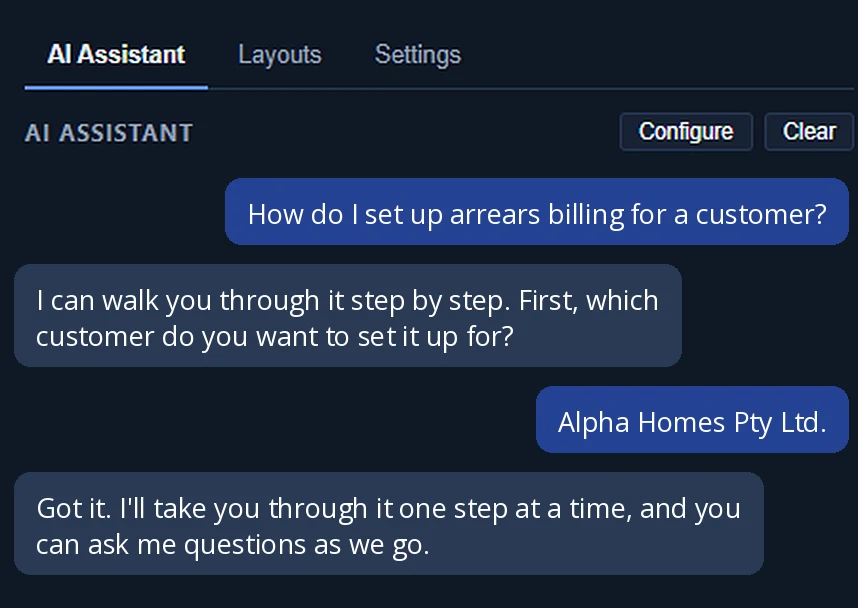
Ask how to do a task and get the steps.
Help is there the moment they need it.
Skip the user guide. Ask the question.
Built in
AI inside your hire system, working with hire data in hire terms.
Open HIO and it’s there. No second app, no second login.
Jobs, hires, invoices, equipment and subcontractors, in the words your team uses.
No new platform and no migration. It arrives as an HIO update.
Not another module to buy. It comes as part of our new subscription, with all modules included. Welcome to HIO Enterprise.
Coming soon...
Want a preview, or want to be among the first to switch it on? Talk to our team.
More exciting feature announcements are on the way. Hire It Out will revolutionise how you run your hire business with some of these changes. Stay tuned.